Are you receiving an error when trying to save your edits or are you edits not loading after having been saved?
This usually has to do with file permissions and/or who is set to own and run files on your server.
Check File Permissions
If you are familiar with changing permissions through ftp or sftp you will just need to make sure that the rw_common folder and all of its sub-folders and files permissions are set to 755. The rw_common folder is usually found where the homepage index.html or index.php file is located.
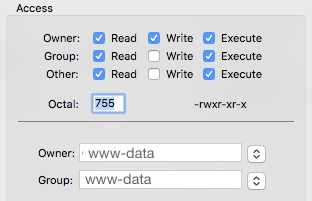
Changing File Ownership
If you are receiving an error about the current user not being the owner of the folder, you will also need to change file ownership.
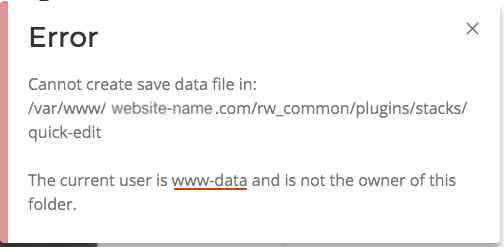
The error defines the user that executes files on your server. In the image above it would be "www-data". Your server may default to a different name like "nobody" or "apache". This listed user is the one set up to read, write, and execute files on your server. If the files are owned by a different username, "www-data" will not have permission to edit or create new files. There are three ways to allow access:
1. You can change the owner of the files to the user listed in the error granting permissions over just the required files. This is the recommended approach, it's safer to specify which files the web server user is allowed to use. The commands written in Quick Editor Admin only allow the creation of a data file and to update it.
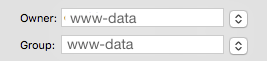
2. You could give permission to all server users ignoring file ownership by enabling Group: users "Write" access for just these files. This is a good solution if you are unable to change the file ownership.

3. You can change the web server user to match the owner of the rw_common files. This process is a little more involved and you may need to contact your host to get help. This approach will also give write permission to all files as this listed user is usually owner of most all, if not all, files.
If you need help changing file permissions or file ownership please contact us.